If you’re planning to travel around Melbourne, there’s one word you’ll hear a lot—Myki. This smartcard ticketing system is the key to using trains, trams, and buses across the city. Whether you’re a tourist here for a few days, a new resident settling in, or just an occasional traveller, understanding how Myki works will make your journey smoother, cheaper, and stress-free.
In this FAQ guide, you’ll learn exactly how to use Melbourne’s Myki system, from buying and topping up your card to navigating fares, zones, and insider tips.
What is Myki system and How Does it Work?
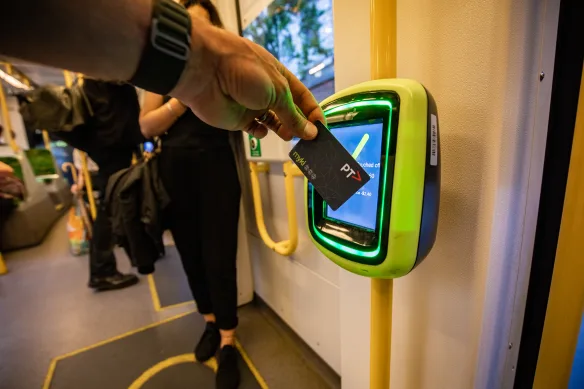
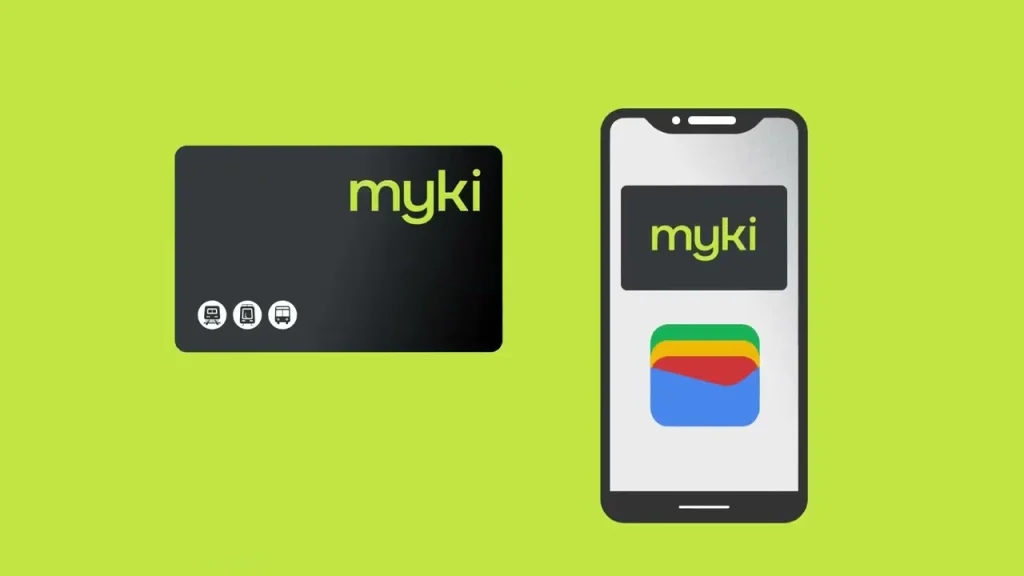
Myki is Melbourne’s reusable, contactless smartcard for public transport.
- Myki Card: A physical plastic card you tap on and off at Myki readers.
- Mobile Myki: A digital version you can add to your Android phone’s Google Wallet. (Currently not available for iPhones—yet.)
- Payment Method: Preloaded credit (Myki Money) or unlimited travel for a set period (Myki Pass).
Where Can I Use Myki system?
You can use Myki system across most of Melbourne’s public transport network:
- Trains – All metropolitan train services.
- Trams – Including the famous W-class trams.
- Buses – Across the suburbs and regional areas.
- V/Line – Selected regional train and coach services within Myki zones.

Why Register Your Myki system?
Registering your Myki system unlocks extra benefits and peace of mind:
- Check your balance anytime.
- Top up online or via the PTV app.
- Get alerts when your Myki is about to expire.
- Manage multiple cards (up to 10 per account—handy for families).
- Protect your balance if your card is lost or stolen.
You can register:
- Online at the PTV website
- Via the PTV app
- By phone: 1800 800 007
💡 Pro Tip: Registration is instant. All you need is your 15-digit Myki number printed on the back of the card.
Topping Up Your Myki
There are two main ways to pay for travel with Myki:
- Myki Money – Pay as you go.
- Myki Pass – Unlimited travel for a set number of days (7–365 days).
Top-up options:
- Online via your Myki account or PTV app.
- Retail outlets like 7-Eleven.
- Myki machines at stations and tram stops.
- Auto top-up – Automatically adds credit when your balance falls below your set limit.
Viewing Your Travel History
Once registered, you can log in to your Myki account to see:
- When and where you touched on and off.
- All top-up transactions.
- Details of Myki Pass purchases.
This is handy for budgeting and keeping track of your daily spend.
Lost or Stolen Myki
If your registered card goes missing:
- Report it immediately via your account or by phone.
- It will be blocked instantly so no one else can use it.
- Your balance will be transferred to a free replacement card.

Refunds and Reimbursements
Through your Myki account you can request:
- Refunds on unused travel credit.
- Balance transfers from an expired card.
- Cancellations of a Myki Pass before travel.
- Claims for incorrect fares (e.g., if you were overcharged).
Quick Myki Travel Tips
- Always touch on and off unless you’re travelling only within the Free Tram Zone.
- Top up before you travel—some tram stops don’t have top-up machines.
- Keep your card away from other contactless cards to avoid mis-taps.
- Download the PTV app for live service updates.
How to Get a Myki Card
You can purchase a Myki card:
- At PTV Hubs (e.g., Southern Cross Station).
- From Myki machines at train stations and major tram stops.
- At over 800 retail outlets (7-Eleven stores are the most common).
- Online via the PTV website (delivery may take a few days).
Cost:
- Standard Myki: $6 (plus credit).
- Concession Myki: $3 (with proof of eligibility).

💡 Tip: Register your Myki online to protect your balance if it’s lost or stolen.
How to Top Up Myki
You can top up:
- Online via the PTV website or app.
- In person at Myki machines, PTV hubs, and retail outlets.
- Mobile Myki users can top up instantly within Google Wallet.
(Allow up to 90 minutes for online top-ups to sync if you haven’t tapped on yet.)
How to Touch On and Touch Off
- Touch On: Hold your Myki against the reader when you start your trip.
- Touch Off: Tap again when you finish.
- Trams in the Free Tram Zone: Only touch on if your trip starts or ends outside the zone.
- Buses & Trains: Always touch on and off.
What Are the Fares and Zones?
Melbourne’s public transport uses Zone 1 and Zone 2 fares:
- Most inner-city travel is Zone 1.
- Outer suburbs may include Zone 2.
- Fares are capped daily, so you won’t be charged more after reaching the limit (currently $10 for full fare).
Rules for Tourists and Visitors
- Free Tram Zone: Covers Melbourne CBD, Docklands, and key attractions. No ticket needed if you stay within the zone.
- Myki Explorer Pack: Available at PTV hubs—includes a preloaded Myki card, handy map, and tourist info.

What to Do If You Forget to Touch Off
If you don’t touch off, you’ll be charged a default fare—usually the maximum daily rate.
💡 Pro Tip: Always tap off, even if unsure, to avoid overcharging.
Upcoming Myki system Upgrades in 2026
PTV has announced a tap-and-go payment system allowing credit/debit cards and smartphones to replace Myki for casual travel. This upgrade will roll out progressively—stay tuned for updates.
Extra Tips for Using Myki
- Check balance before travelling—via the PTV app or station readers.
- PTV App offers live timetables and disruptions.
- Refunds are available for unused credit or passes (via PTV).
- Always carry your card; ticket inspectors issue fines for non-compliance.
Official Resources
Mastering the Melbourne Myki system is your passport to easy, affordable travel across the city. Whether you’re a visitor here for a weekend or starting a new chapter in Melbourne, these tips will keep you moving. Bookmark this guide, share it with friends, and enjoy the ride!

Related Articles